


After several posts introducing the main new models in PockEmul 2.10.0, this post takes a closer look at the new features included in this release.
- IWS-video for the Sharp PC-1500.
- New Sharp PC-1445 – included in the PC-14xx package.
- Keyboard Simulator with Kana first integration.
- Some User Interface enhancement ( Contextual Menu, Virtual Joypad, …)
- Bug fixes.
- Licensing évolution
The IWS-Video for the Sharp PC-1500
We have all dreamed of owning this device, and I am very proud to be able to offer it to you in PockEmul.
As far as I know, this is a PockEmul exclusive.
While the usability of such a device on mobile is admittedly limited, it becomes truly interesting on desktop systems.
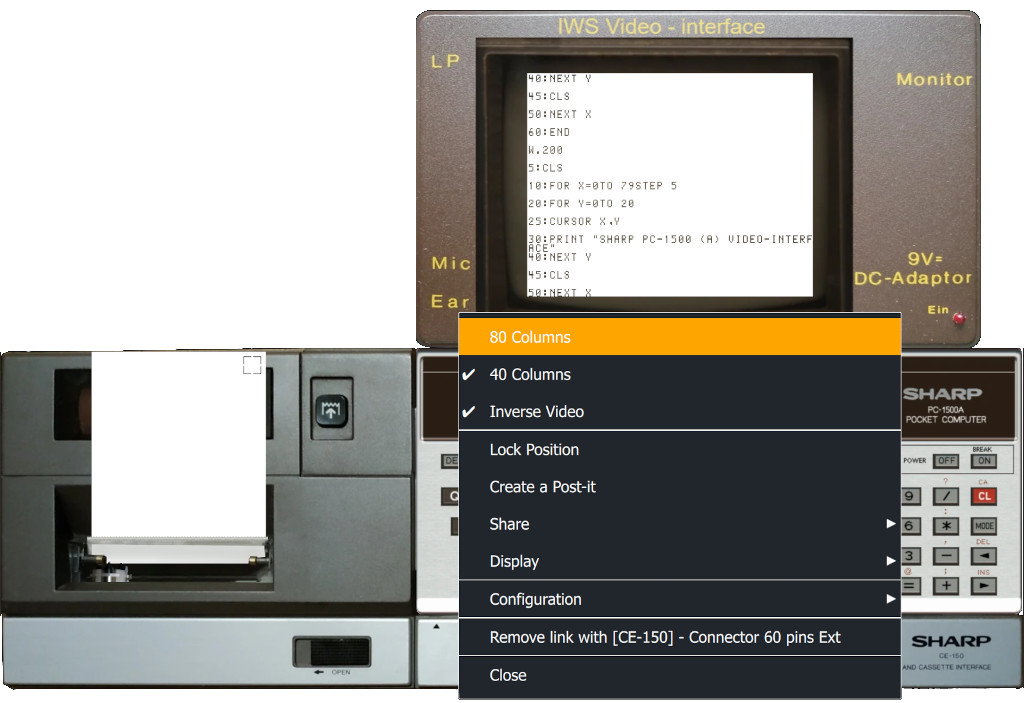
This device is included in the Sharp PC-1500 package.
The Sharp PC-1445
One of my friends generously extracted the CPU ROM of this model, along with its BASIC ROM. This made it very easy to add support for it in PockEmul, as it is a derivative of the PC‑1403. It is included in the Sharp PC-140x package.
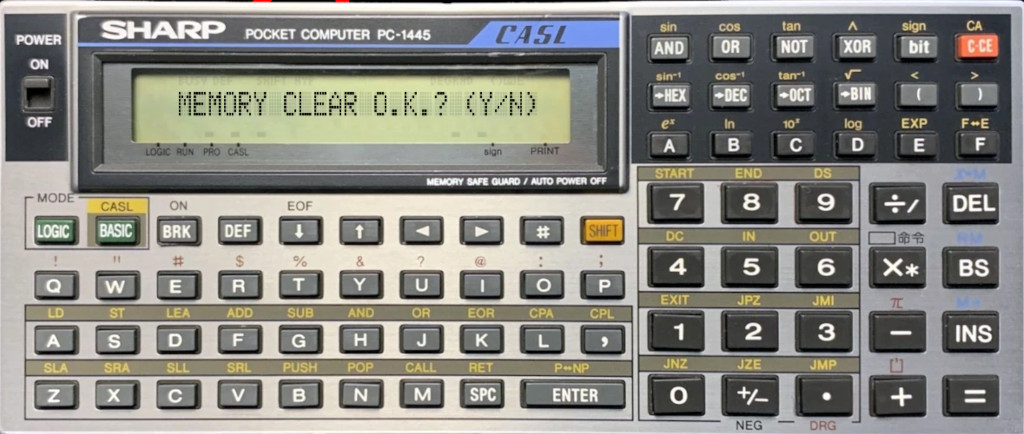
My long-term goal is to obtain ROM dumps for all devices based on the SC61860 CPU. Below is a list of the known models, indicating whether a dump is currently available or not.
| ROM | Freq | Models | Dumped |
|---|---|---|---|
| A01 | 576K | PC-1251 | |
| A02 | 576K | PC-1250, PC-1251, PC-1251H | ✔️ |
| A03 | |||
| A04 | 576K | PC-1252, PC-1252H, PC-1253 | ✔️ |
| A05 | |||
| A06 | 576K | PC-1245, PC-1255 | ✔️ |
| A07 | 576K | PC-1401 | |
| A08 | 576K | PC-1401, PC-1402, EL-5500II | ✔️ |
| A09 | 768K | PC-1404G | |
| A10 | |||
| A11 | 768K | PC-1260, PC-1261, PC-1262 | ✔️ |
| A12 | 768K | PC-1421, EL-5510 | ✔️ |
| A13 | 768K | PC-1350 | ✔️ |
| A14 | 768K | PC-2500, PC-2500S | ✔️ |
| A18 | 768K | PC-1450, PC-1450 Jap | ✔️ |
| A23 | 768K | PC-1360 | ✔️ |
| A24 | 768K | PC-1440 | |
| A28 | 768K | PC-1416G | |
| A29 | 768K | PC-1460, PC-1460 Jap | |
| A31 | 768K | PC-403, PC-1403H, EL-5500III, PC-1425 ? | ✔️ |
| A32 | 768K | EL-6120 | |
| A35 | 768K | EL-9000 | |
| A36 | 768K | PC-1417G | |
| A37 | 768K | PC-1445 | ✔️ |
| A38 | 768K | PC-1280, PC-1280 Jap, PC-1285, PC-1470U, PC-1475, PC-1475 Jap | ✔️ |
| A40 | 768K | PA-7000 |
If you own a model that has not yet been dumped and would like to give it a try, feel free to get in touch. I’ll be happy to explain the procedure for dumping the ROM.
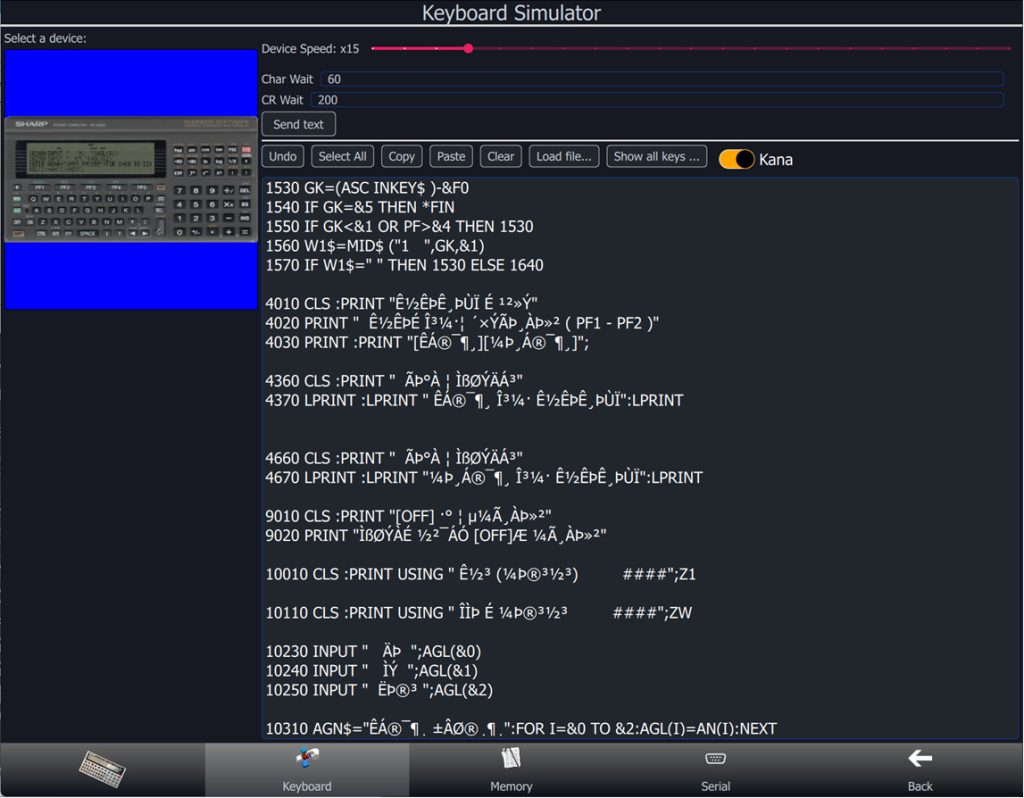
Keyboard Simulator with Kana first integration.
One of PockEmul’s Japanese fans asked me to add this feature to the Keyboard Simulator.
Most of his programs were stored using Kana characters, which meant he had to manually retype all Japanese strings directly on the device.
I readily admit that I have absolutely no experience with handling Kana characters on pocket computers.
This is therefore a first implementation, which I’m sure is far from perfect, but it should provide a solid foundation toward full coverage. I’m eagerly awaiting his feedback so I can apply the necessary fixes.
I think there is an issue in dakuten and handakuten management.
I commit to addressing these improvements in a corrective 2.10.x release of PockEmul.
While I tend to be rather slow when it comes to major releases, corrective versions can easily be released on a monthly basis.
UI enhancement
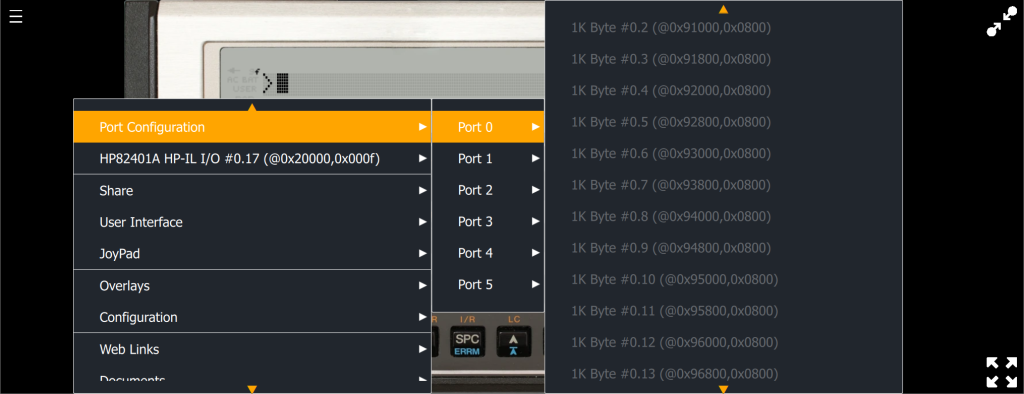
The Contextual Menu
The context menu had started to become too large, and on some mobile devices with smaller screens, it exceeded the screen height.
It is now scrollable, with up and down arrows indicating when scrolling is available.
Virtual Joypad
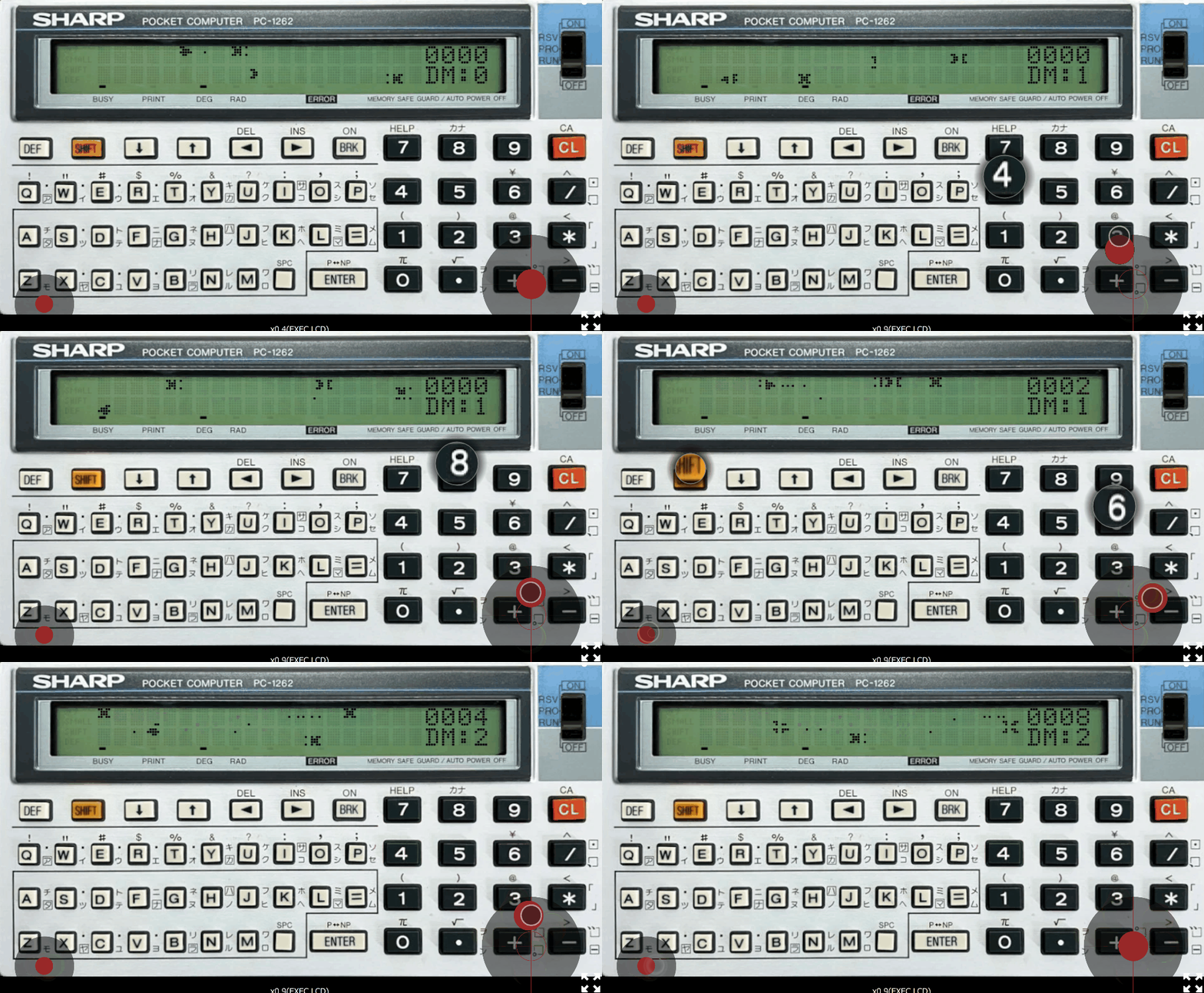
For many pocket computer games, I wanted to recreate a virtual joypad that can be mapped to the keyboard.
The key mapping is fully configurable.
The position of the stick and buttons is fully adjustable. It can also be connected to any machine emulated in PockEmul, as long as it has a keyboard, of course.
This is a first version, and I’m eager to hear your feedback on this feature. It’s something that should genuinely enhance gameplay on our older machines. I’m keen to make it as effective as possible and to continue improving and evolving it over time.
In the long term, I plan to add support for real gamepads connected to mobile devices or desktop systems.
Cable drawing
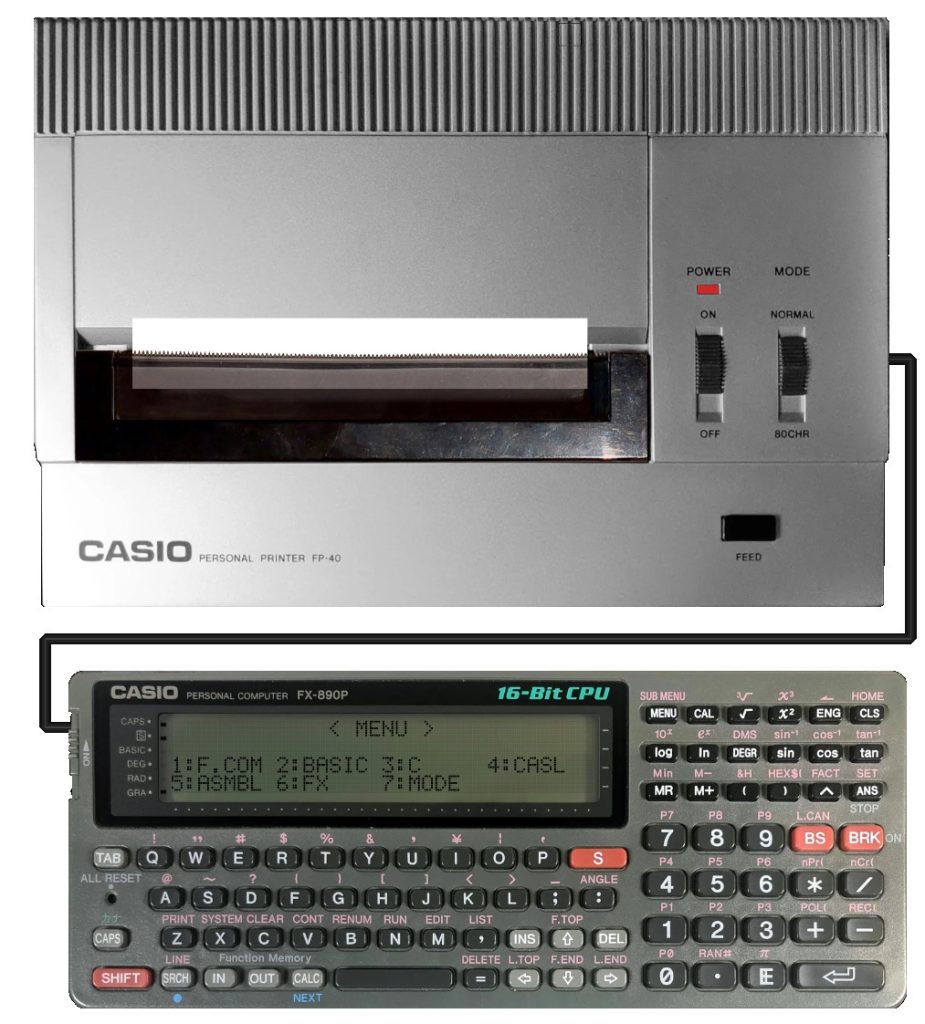
This feature was primarily implemented to handle HP‑IL loops. Cable rendering is enabled for all devices.
I have not performed exhaustive testing across all peripherals, and it is quite possible that some connectors may be incorrectly positioned.
Please feel free to report any cable‑drawing anomalies you encounter.
Bug fixing
- Casio MD-100 file management
- Memory viewer edit dialog box on Action
- macOS Universal binary
- Install Windows on ARM
- PC-1600 IOCS Key Input
- SC61860 bug used by LC-3 Compiler
- And a lot more. I need to be better on keeping track of fixed issues
Licensing evolution and platform limitation
- Sharp PC-1500 and Tandy PC-2 free models are limited to base memory configuration. CE-150 is not free anymore.
- Only Android 64bit release. 32 bit release is not available anymore on Android. Android 6 and up are supported.
- iOS 15 minimum required
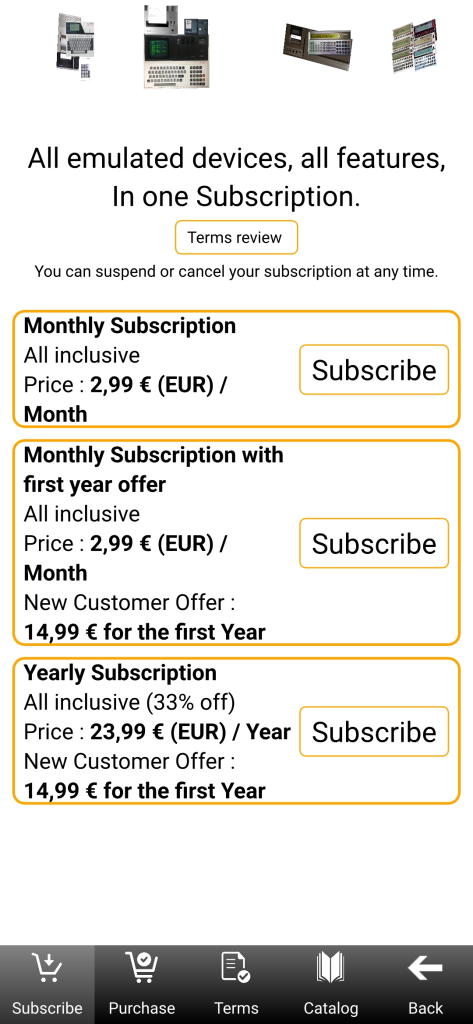
New subscription pricing
Subscription prices will be increased in PockEmul 2.10.0 (they had remained unchanged since the very beginning of PockEmul).
Existing PockEmul subscribers will keep their current subscription at the same price, with no increase. This is the least we can do to thank our early supporters.
A new annual subscription option is now available at the former subscription price.
A special offer for new subscribers propose the first year at a very attractive rate, making it possible to thoroughly explore and evaluate PockEmul.
Perfect emulation is an infinite quest. Please report us any inaccurate behaviour at contact@pockemul.com
A message for our longstanding users and subscribers :
PockEmul is a 25 years passion project and a labor of love.
We invite you to share the passion and love for vintage computing.
Help us make history like these computers have done in the not-so-distant past.
Help us shape the future of PockEmul. Spread the word!